
Everything a modern kitchen door needs
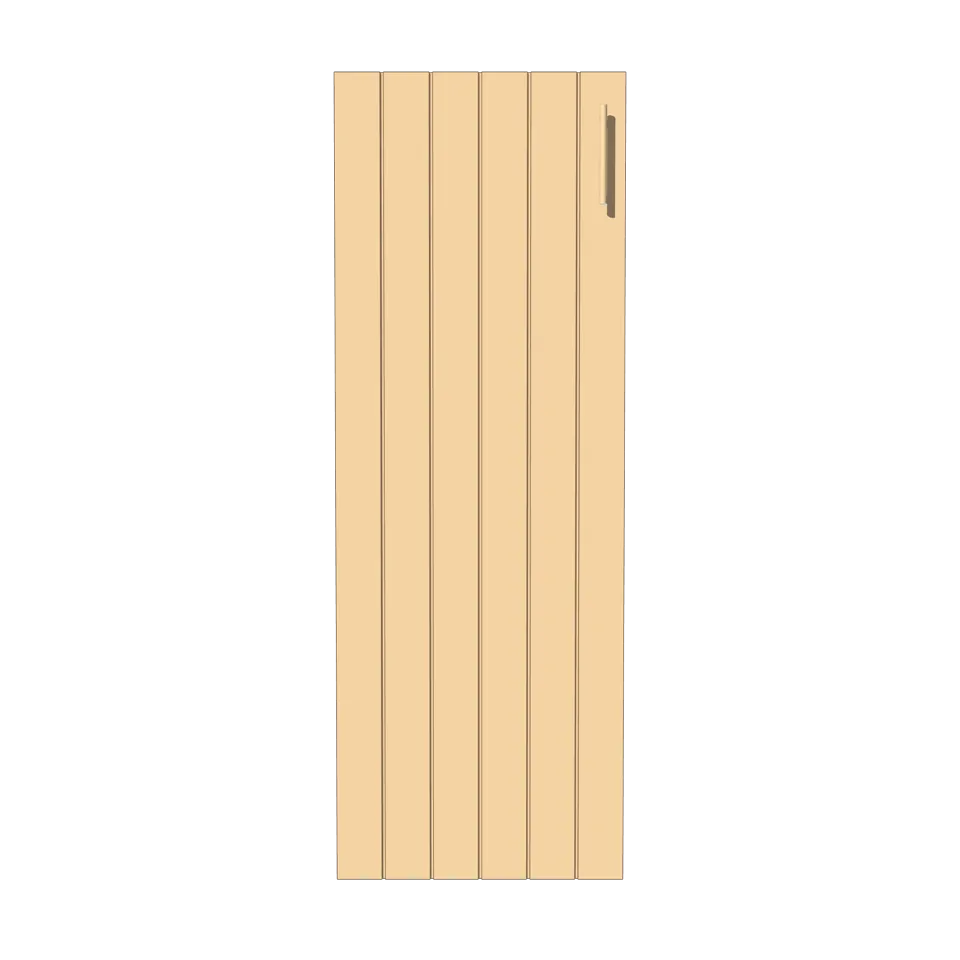
Splits a door face or slab into grooved panels, adds the handle you want and gives you clean door components.
Version 1.15.0 · What's new
How it works
For interior designers and furniture makers who draw a lot of shutters.
Select your doors
Select a flat door face or a door slab in SketchUp, or several at once, and open Edge Groove Doors.
Set panels and a handle
Choose equal, custom or ratio panels, groove style, door thickness and a handle, and watch the live preview update.
Apply
Every panel becomes its own door component with its handle. Not happy? One Ctrl+Z undoes it all.
▤Panels
- Equal panels, or custom sizes like
300, *, *, 450 - Ratio sizes for proportional layouts
- Cut-through grooves or recessed grooves
- Live preview with dimensions before you apply
▯Doors
- Gives flat faces a real thickness
- Mirrors pairs of doors automatically
- Each panel becomes its own door component
- Mirrored doors are flipped copies of the same component
⌒Handles
- 12 finger-pull styles
- J-profile, Gola, surface and insert profiles
- Bar pulls in 4 styles and standard sizes, plus 4 knob styles
- 8 finishes
★Your own library
- Save your own handle components and reuse them
- Settings remembered between sessions
- Built-in "How to use" guide
- Everything undoes in one step
What's new
Every licence includes updates. The download is always the latest version (1.15.0).
| Version | Date | What changed |
|---|---|---|
| 1.13.0 | 17 November 2026 |
|
| 1.10.2 | 11 November 2026 |
|
| 1.9.0 | 29 October 2026 |
Read more (5 more)
|
Edge Groove Doors prices
7-day free trial first, no card needed. Pay once for a year, or once for life. This licence is for Edge Groove Doors only.
Edge Groove Doors Free 7-day trial
Lifetime licence one payment, never expires, all updates included
Lifetime, 1 computer
One payment, never expires. All future updates included.
Buy lifetimeLifetime, 2 computers
One payment for 2 computers: you get 2 keys. All updates included.
You save $149 $375 per computer
Lifetime, 3 computers
One payment for 3 computers: you get 3 keys. All updates included.
You save $348 $333 per computer
One licence works on one computer at a time. Your key and download link appear right after payment and are emailed to you.
Questions
Something else? Write to us, we reply within 2 working days.
Is there a free trial?
Yes. Download an extension and use every feature free on your computer: Edge Groove Doors for 7 days. No card needed. When you are ready, buy a licence, open Extensions → (the extension) → Licence, and enter your key and email. We email you a code to confirm it is you.
Do I need a licence for each extension?
Yes. Each extension has its own licence, trial and price. A Groove Doors key does not unlock Line Grooves, and the other way round.
Which SketchUp versions do they work with?
Line Grooves and Groove Doors: SketchUp 2019 to 2027 on Windows. Both also include Mac support, but they are not tested on a Mac yet, so Mac users please check them with the free trial first. Please check it on your own computer with the free trial before you buy.
How many computers can I use it on?
One licence key works on one computer at a time. A lifetime licence for 2 or 3 computers gives you 2 or 3 keys, one for each computer. Moving to a new computer? Click "Deactivate on this computer" in the Licence window on the old one, then activate on the new one.
What is a lifetime licence?
One payment, and the licence never expires. Every future update of that extension is included. It is for new keys; it does not extend a key you already have.
Do I need to be online?
Only now and then. The licence is checked about once a day and keeps working offline for up to 14 days.
How does auto-renew work?
If you choose auto-renew, Razorpay charges your card or UPI Autopay at the end of each period you chose (a month, 6 months or a year). Turn it off any time from your licence page; your licence keeps working until the end of the period you paid for.
What happens when my subscription ends?
The extension asks you to renew. Your SketchUp models are never affected: every door, groove and louvre you already made stays in your model.
I lost my licence key. What now?
Use Find my licence. We email a code to the address you paid with, and you get your key and download back.
Can I get a refund?
Please use the free trial first. Our Refund and Cancellation policy explains the cases where we refund in full.
I have two SketchUp versions on one computer. Do I need two licences?
No. One key works in every SketchUp version on the same computer, and it counts as one computer. Activate it once in each SketchUp version: the same key, the same email, and the code we email you. The free trial also counts per computer, so a second SketchUp version shows the same days left. If you click "Deactivate on this computer" in one version, the licence is removed from the whole computer; activate it again in the other version to keep using it there.
No question matches that. Try other words, or write to us.
Our other extension
A separate extension, with its own trial and licence.
Edge Line Grooves
from $10 / monthTurns lines you draw into grooves, and covers any face with louvres, slats or V-grooves, on doors, panels, walls and ceilings.
- Grooves along straight lines, curves and grids
- Louvres in five shapes, at any angle
- Live preview and an in-view settings bar
- Free 14-day trial
Version 1.7.0 · What's new
About Edge Design Academy
We teach interior and furniture design and build the SketchUp tools we wish we had. Our extensions come from drawing hundreds of kitchen shutters and wall panels by hand.
Try Groove Doors on your next project
Free 7-day trial. Then from $13 a month.